
Bringing Real-World Accounting Into the Classroom
Practice accounting with Real Documents and Client Cases


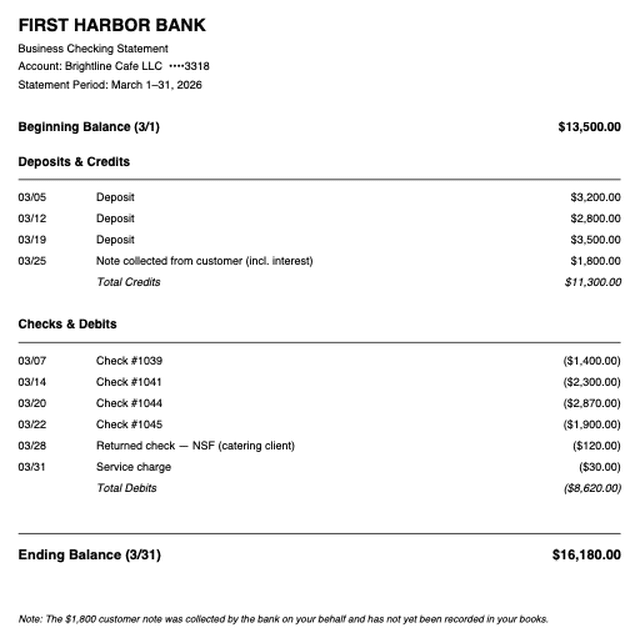
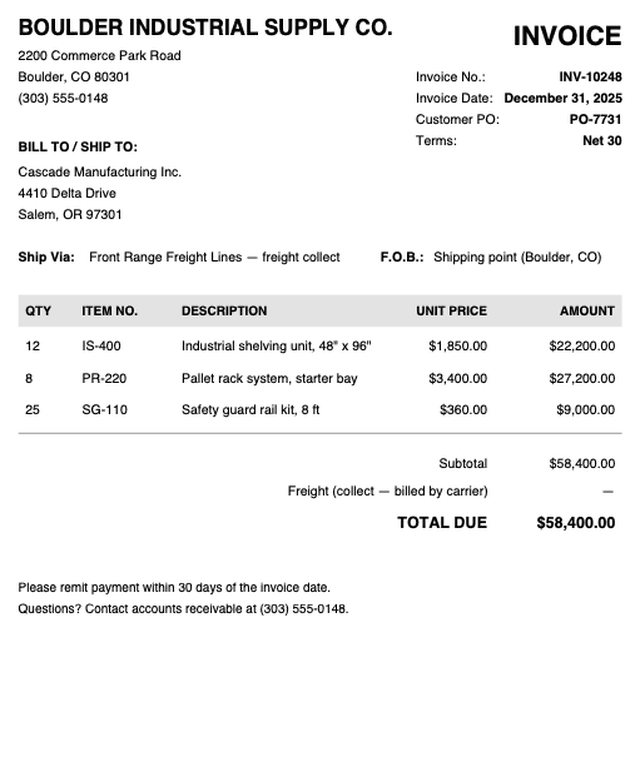
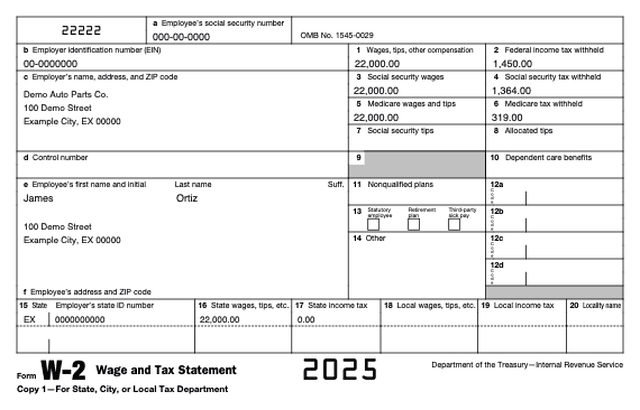
Staff Memo
- A big sale ($58,400) hit the books on the very last day of December.
- Your job: figure out if those goods really shipped in December.
- Start with the invoice, then follow the shipping documents.
- Senior Auditor
Beyond the textbook
Show, don't tell
The same homework, two ways. Look at what each one asks a student to do.
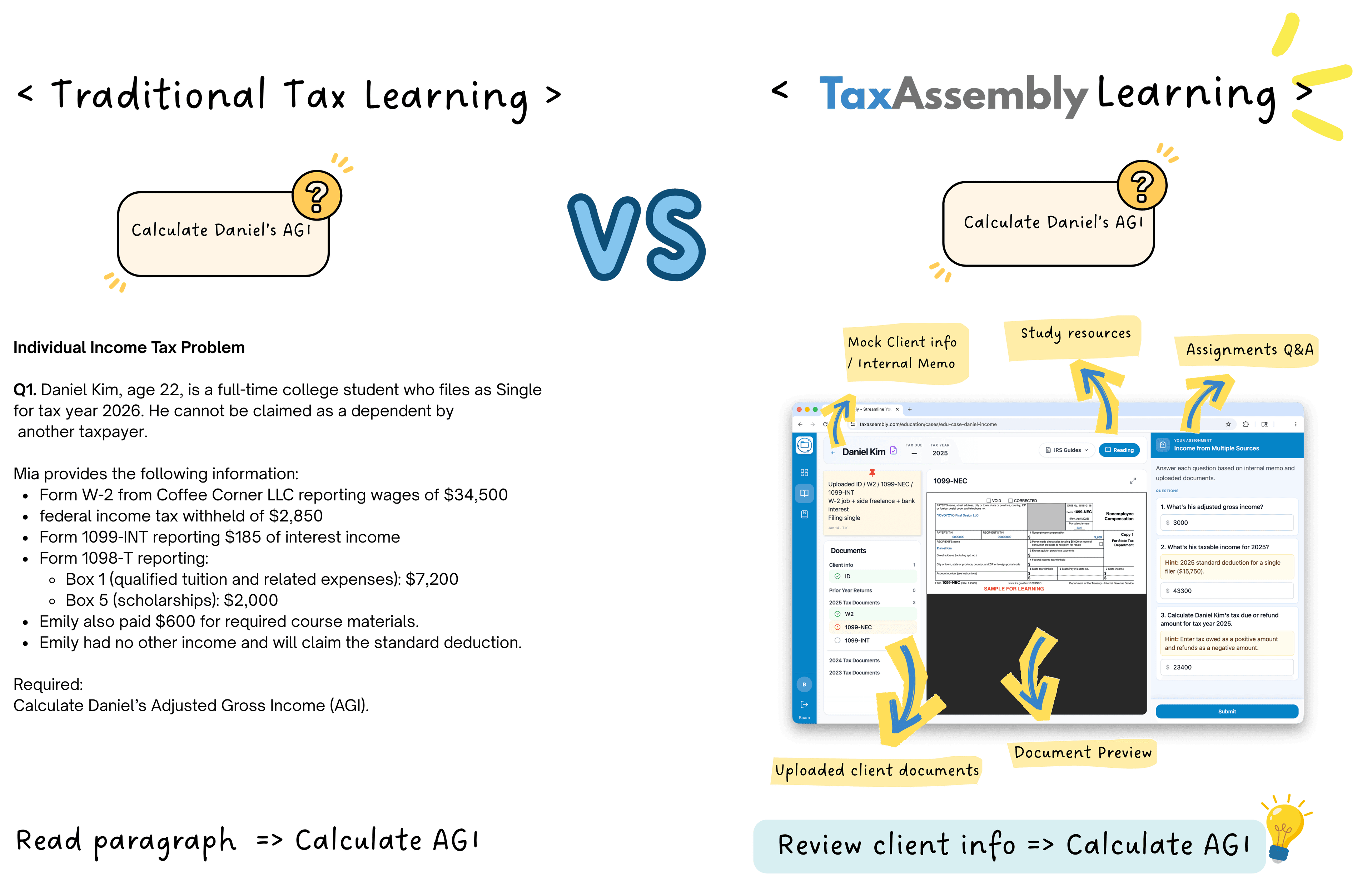
Left: every figure is given. Right: students dig through W-2s, 1099s, and client notes—then apply what they learned in lecture.
For your course
How It Works in Class
Three steps from assignment to feedback—built for how you already teach.
Step 1
Assign
Send a case that matches what you just covered in class.
Step 2
Practice
Students work through documents, memos, and case questions.
Step 3
Feedback
Professors choose when scores and solutions appear.
Inside a case
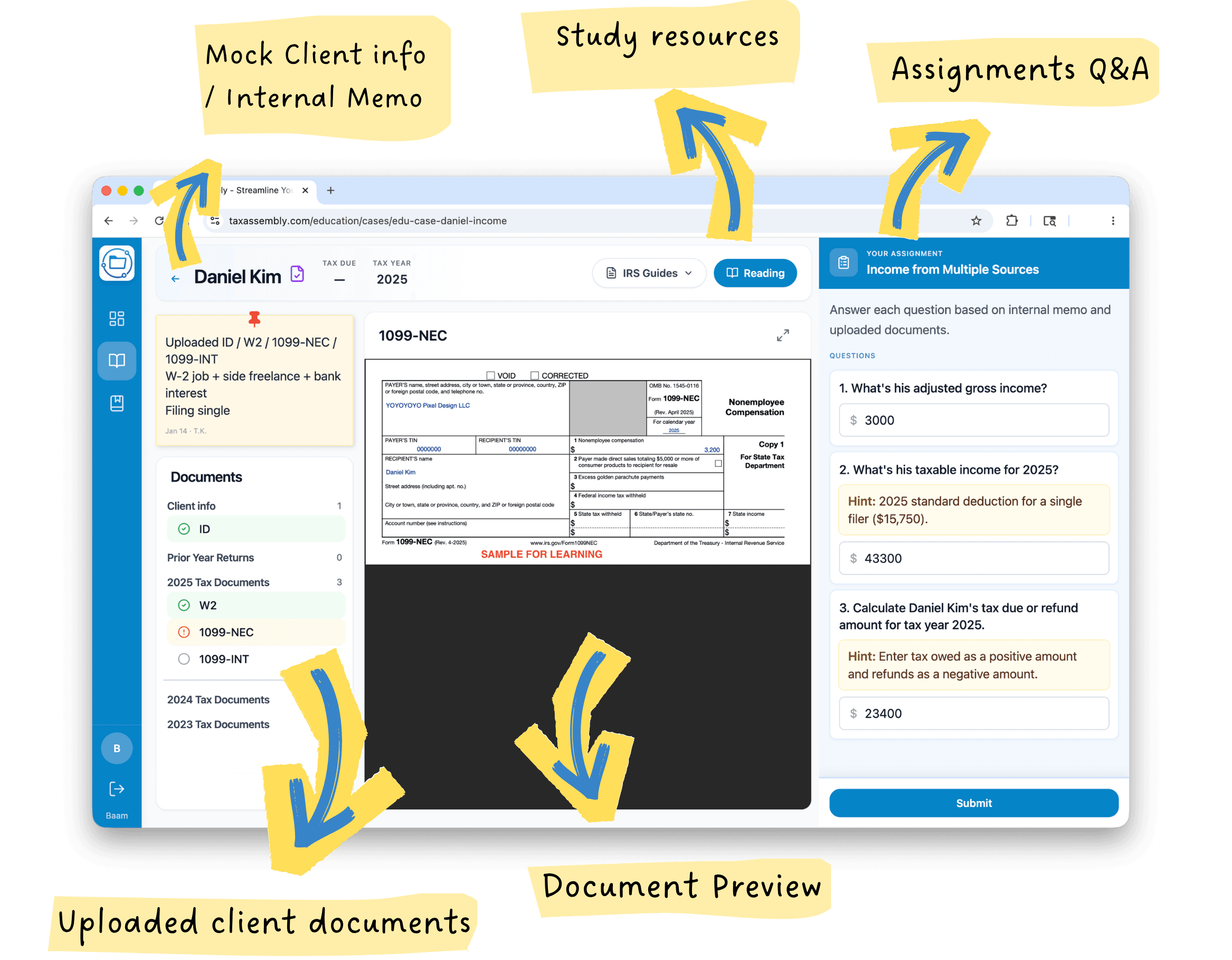
Student Workspace
One screen for the client file—documents, memos, and questions together.
- Documents
- Staff memos
- Case questions
Get started
Explore Sample Cases
Pick Tax, Audit, or Accounting—open a case in one click.
Built for both sides
Professors & Students
One classroom. Two roles. The same cases.
For faculty
Professor
- Open a course and share a class code
- Assign cases with due dates from the library
- Review submissions and class progress
- Decide when scores and solutions appear
For learners
Student
- Join with a code and see work in My courses
- Open client files, documents, and memos
- Answer questions and submit when ready
- Practice more with cases, challenges, and study tools
Bring it to class
Run a Classroom Pilot
We help you set up a course, assign cases, and try Accounting Assembly with your students.